
Chapter 17 · 17.7
Data traffic (bandwidth) and what happens when you run out
Data traffic (in DirectAdmin Bandwidth) is everything that visitors to your website and your email send and receive. Every page, every photo, every download and every email counts. Each package has a limit per calendar month. The count starts again on the first day of the month.
How much am I using?
- On the DirectAdmin dashboard, you'll find your usage for this month against your limit under Bandwidth (see User statistics: visitors and data traffic).
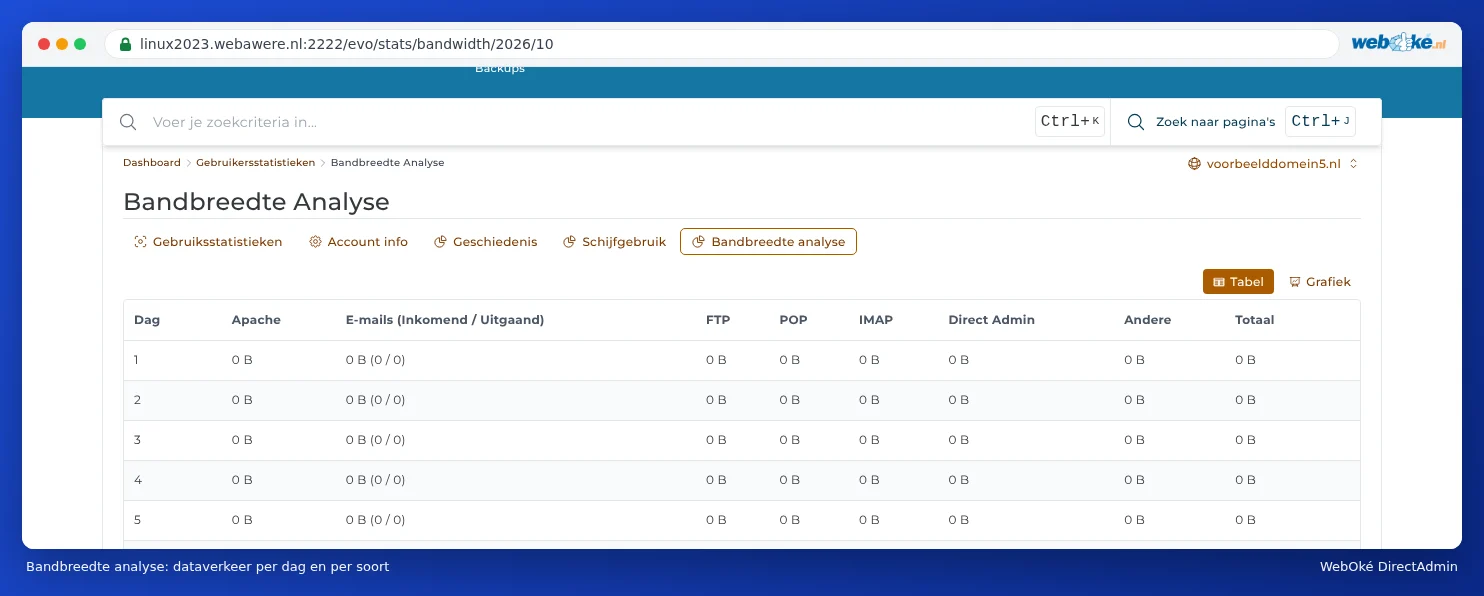
- In User statistics, on the Bandwidth breakdown tab, you'll see it per day, split by your website (Apache), email, FTP, POP, IMAP and DirectAdmin.
- On the History tab, you'll see the usage per month.
- Under Site summary & logs, you'll find the data traffic per domain.
What happens when you run out?
We'll send you an email once you've used 75% of your data traffic this month, again at 90% and at 100%. If you go over your limit, your hosting account may be temporarily blocked until the count starts again on the first of the month. Your website and email will then be unreachable. So don't wait until you run out.
Where does a lot of data traffic come from?
- Large files: videos you host yourself, large downloads or PDFs, photos that haven't been resized.
- Bots: search engines, AI crawlers and other robots that read your entire site over and over again. In AWStats, you'll find them under Robots/Spiders visitors (see Site summary & logs: the error log and the access log).
- Hotlinking: other websites that display your images directly. You end up paying for that data traffic. Turn on Hotlink Protection to prevent this (see Hotlink Protection).
- Email: lots of large attachments, or a mailbox that's fully downloaded over and over again by an incorrectly configured email program.
What can you do?
- Check your statistics to see which visitors and files are causing the most traffic.
- Resize your images and put videos on YouTube or Vimeo, then embed them on your site.
- Block unnecessary bots, for example with robots.txt or a security plugin.
- Turn on Hotlink Protection if others are using your images.
- Choose a larger package if your website simply gets a lot of visitors. In My WebOké, go to My Products, click Admin next to your package and choose a larger package under Change hosting package. The upgrade takes effect immediately.
- Expecting a one off surge in visitors, for example due to a promotion or campaign? Get in touch with us and we'll look at a temporary increase together.
Tip: Data traffic and storage space are two different things. Storage is what's stored in your package (see Storage full: where's the space going?); data traffic is what goes in and out each month.